
Shopify cart upsells: cart page and drawer checks
Cart pages and cart drawers present offers after a shopper has already selected something. Use this guide to choose a placement, assess compatibility and test the journey to checkout. FairRev includes both placement controls, but its cart and drawer journeys have not yet been demonstrated in a complete shopper walkthrough. Confirm your theme and cart implementation with support before selecting these placements.

Cart pages and cart drawers present offers after a shopper has already selected something. Use this guide to choose a placement, assess compatibility and test the journey to checkout. FairRev includes both placement controls, but its cart and drawer journeys have not yet been demonstrated in a complete shopper walkthrough. Confirm your theme and cart implementation with support before selecting these placements.
Plan an upsell in the cart and cart drawer
Imagine a hypothetical basket with a coffee brewer and an optional matching filter pack. The shopper should see an offer that explains the extra product, quantity and final price without obscuring checkout. After acceptance, the new line and totals should be visible.
The shopper should see the added item and updated totals immediately. A product-page demonstration does not establish this cart behavior; the page and drawer must each be tested in the store's actual theme.
Set up supported cart offers
The builder offers Cart page and Cart drawer placements alongside product-page placement. Configure the offered variant, trigger, conditions and shopper copy. Save and publish are separate operations; confirm the actual live state.
A cart-page app block requires a suitable section in the theme editor. A drawer depends on the app's adapter finding the correct container and responding to its lifecycle. Do not assume that enabling a checkbox completes either integration.
Check theme and cart compatibility
The widget contains Dawn and Horizon adapters and a generic event-based fallback. Dawn and Horizon are code targets, not a claim that all versions or customized themes passed a live test. The generic fallback can be degraded: a drawer may need reopening to show an added item. With no recognized container, the drawer offer may not render.
The server's theme-name classification is predictive. The browser examines actual markup. A merchant should use the current theme and cart configuration for acceptance testing, including any other app that replaces the drawer. Product and cart app blocks still need an appropriate theme section; no universal theme promise is made.
Test the shopper journey
Open the drawer from the theme's normal control. Accept the offer and inspect the new line, quantity, price, totals and checkout action. Close and reopen, reload the page, change quantity and remove the trigger. Repeat on a phone-width viewport and with keyboard navigation.
Also test an offer whose product is already present, a sold-out variant and two competing offers. A successful network add is not enough if the shopper sees a stale cart. Keep a recording and actual screenshots of the configuration and both cart surfaces.
Understand placement limitations
Custom drawers and third-party cart replacements need direct testing. A missing adapter should show no offer rather than interfere with the cart. Backend failure should leave normal storefront shopping available.
This page does not cover cart API repair, checkout-page offers or post-purchase flows. It does not promise automatic refresh for a theme the generic adapter cannot control. For choosing related accessories, see Shopify cross sell app.
Review pricing and attributed orders
FairRev pricing covers every available placement under the same plan terms. The current paid minimum is owed even if no offer revenue is attributed, and the fixed ceiling limits the app fee.
FairRev attribution explains the accepted-item match and settlement rules. Opening a drawer, seeing an offer or increasing a basket without matching evidence is not enough to count the entire order as offer revenue.
Contact [email protected] about availability and theme testing. Include the theme name, version and any cart replacement app. Ask to see both add-and-refresh journeys and the checkout result before treating a placement as supported for your store.
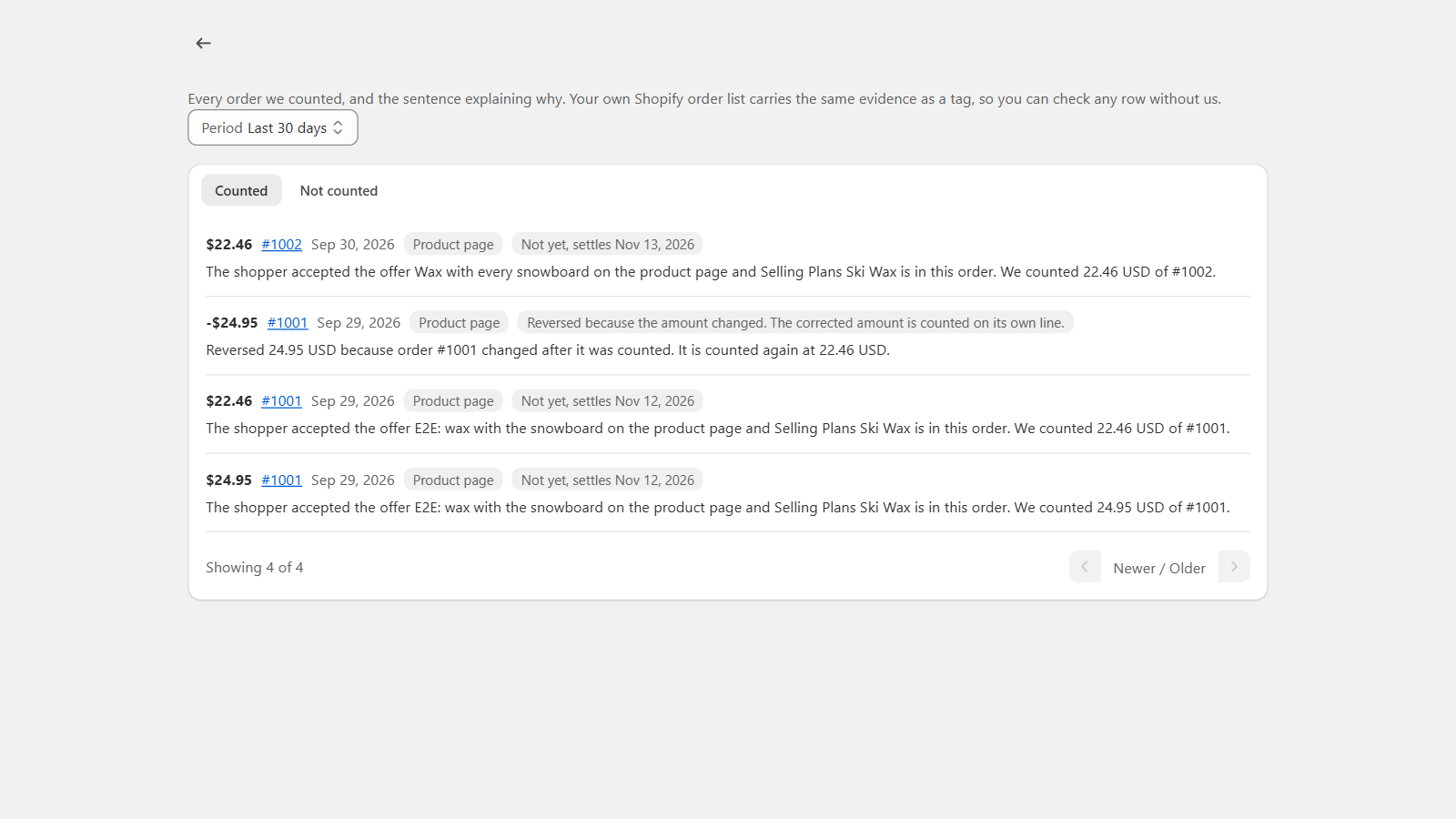
This is a real development-store billing view. It shows order explanations and corrections, not a demonstration of this offer type or a merchant performance result.