
Shopify volume discounts and quantity breaks: what to check
Quantity breaks, volume discounts and buy more save more describe the same buying question: what happens to the price when a shopper buys more? Use this guide to define thresholds, protect margin and test the final charge. FairRev has quantity-tier configuration, but agreement between its shopper display and final checkout discounts has not yet been demonstrated. Confirm that result before choosing it for a quantity promotion.

Quantity breaks, volume discounts and buy more save more describe the same buying question: what happens to the price when a shopper buys more? Use this guide to define thresholds, protect margin and test the final charge. FairRev has quantity-tier configuration, but agreement between its shopper display and final checkout discounts has not yet been demonstrated. Confirm that result before choosing it for a quantity promotion.
See a buy more save more shopper example
In a hypothetical refill offer, one refill has its ordinary price and a larger quantity qualifies for a discount. A clear presentation states whether the discount applies to all units, selected reward units or only units above the threshold. Those are different offers and should not share an ambiguous headline.
FairRev's configuration contains minimum quantities and discount types. A working shopper tier picker and an automatically changing displayed total are not established by that configuration alone.
Set up quantity thresholds and discounts
The builder exposes Quantity break and a tier list. A tier contains a minimum quantity, discount type and discount value. Choose a small set of economically useful thresholds, then confirm which selected variants the rule evaluates. Minimum quantity and reward quantity must not be treated as interchangeable.
For each proposed tier, write down the expected unit and line totals before editing the offer. Include the ordinary quantity, just below a threshold, exactly at it and above it. A discount that looks attractive but consumes the contribution margin is not a useful offer.
Choose supported placements
Product, cart and cart-drawer placements are available configuration choices. A product-page quantity offer needs to coordinate with what is already in the cart; a cart offer must reflect the actual line quantities. Drawers require compatible adapters and a verified refresh journey.
Do not promise that changing a theme's native quantity selector updates the FairRev tier display until that interaction has been tested. A stored tier and a rendered offer are different evidence.
Test quantity rules and shopper behavior
Create a boundary table for every tier, compare the display with the cart, and continue to checkout. Change quantities down as well as up. Repeat with the variant already present, then with two variants of the same product. Confirm whether quantities aggregate or remain separate in the actual rule.
Check that the displayed saving, selected tier and final checkout amount agree. FairRev's item preview and quantity-discount calculation follow separate paths, and a complete demonstration of their agreement is still needed. Ask support to show the exact boundary cases your promotion requires.
Check compatibility and limitations
Test mobile presentation, sold-out variants, competing discounts, repeated acceptance and cart reloads. Drawer adapter predictions are not a tested theme list. A quantity rule must honor the shop's discount safeguards and should disappear rather than promise a price that cannot be justified.
For a fixed set of different products, compare Shopify product bundle app behavior. Keep this page focused on quantity thresholds rather than creating separate pages for quantity breaks and buy more save more wording.
Understand pricing and attributed billing
FairRev pricing explains the 30-day free allowance and the paid minimum and maximum. Offer discounts affect what shoppers pay; FairRev app charges follow the recorded plan and billable revenue rule.
FairRev attribution explains quantity caps, proportional allocation and refunds. Do not assume every item in a large basket becomes attributable because one quantity offer was accepted. Evaluate margin separately from attributed sales.
Contact [email protected] for availability and a quantity-tier demonstration. Bring the threshold table, selected variants, intended placement and expected checkout prices. A repeatable result at every boundary matters more than a preview of the largest advertised saving.
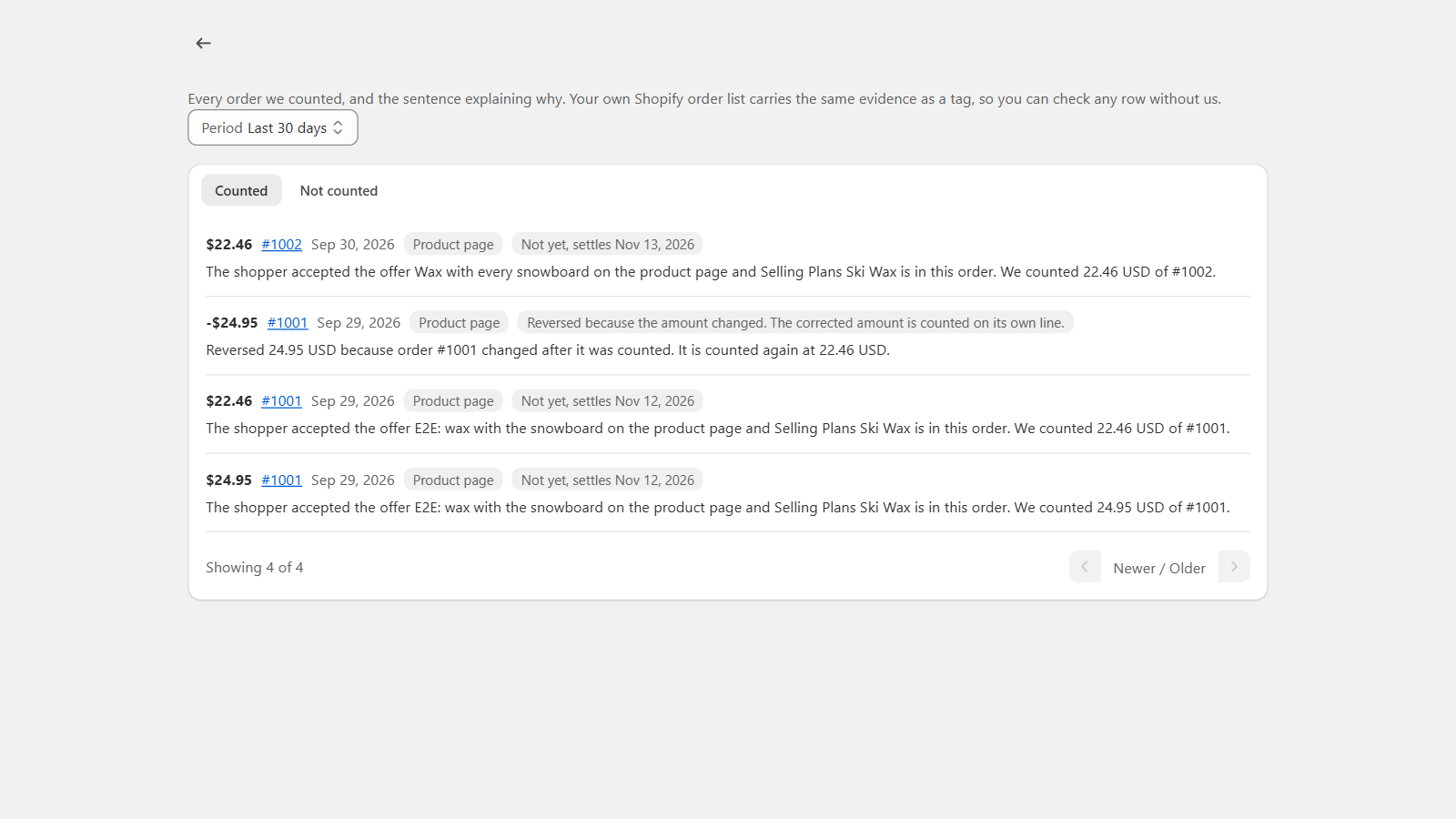
This is a real development-store billing view. It shows order explanations and corrections, not a demonstration of this offer type or a merchant performance result.