
Free gifts with purchase on Shopify: plan and test your offer
A free gift with purchase should tell a shopper exactly what qualifies, what the gift is and how it enters the cart. Use this guide to plan eligibility, test the promotion and understand its cost. FairRev has a Free gift configuration, but a complete eligibility-to-checkout demonstration is not yet available. Confirm the intended journey with support before selecting it for a gift promotion.

A free gift with purchase should tell a shopper exactly what qualifies, what the gift is and how it enters the cart. Use this guide to plan eligibility, test the promotion and understand its cost. FairRev has a Free gift configuration, but a complete eligibility-to-checkout demonstration is not yet available. Confirm the intended journey with support before selecting it for a gift promotion.
Define how a shopper qualifies for a free gift
For a hypothetical qualifying basket, a merchant might offer one selected travel pouch. The shopper should understand whether qualification depends on a product, a basket value or a quantity. They should see the gift variant and the action required to claim it before they decide to buy.
The current widget accepts an offer through its button and adds the configured offered variant. No verified automatic gift insertion or shopper gift-choice selector is established by that path. Do not advertise automatic gifts or a choice of several gifts on this evidence.
Configure eligibility and gift selection
The builder lets the merchant choose offered variants and quantities. Supported condition types include product or variant presence, cart value and cart quantity. Conditions in one group are combined, and separate groups provide alternative qualification paths. A condition should match a clear sentence the shopper can understand.
Merchant selection of a gift variant is different from letting the shopper select a reward. Choose the exact gift product, check inventory and specify any customer-facing restriction. The gift must reach checkout at the promised zero price while respecting the shop's discount safeguards. Confirm that result with the complete qualifying cart.
Understand gift behavior in the shopping journey
The shopper should see an eligible gift, accept it and find the correct item at the promised price. Then change the cart below the qualifying threshold and verify the outcome again. The presence of a qualifying condition does not prove automatic removal of an already-added gift. No such promise is made here.
Also check repeated acceptance, a gift already in the basket and multiple eligible offers. The widget suppresses some offers when their offered items are already present. That behavior must be tested for the intended promotion rather than treated as a complete gift-policy engine.
Set up and test your free gift offer
Prepare the gift variant, eligibility sentence, placement and discount budget before editing an offer. In a controlled store, save the Free gift configuration and inspect its preview. Only publish after checking that the promised price can be honored.
Walk both sides of every threshold, test the cart after quantity changes and inspect the final order. Confirm that an ineligible basket does not receive an unintended discount. Keep the setup, eligible offer, changed cart and checkout together so support can reproduce any unexpected behavior.
Check supported placements and limitations
The builder offers product, cart and drawer placements. Theme app blocks need suitable sections; drawers require an adapter. A gift flow must be checked in each placement that will be advertised. Universal theme support, automatic gift removal and a gift-choice interface are unverified.
Compare this intent with Shopify Buy X get Y app rules. A cart-value reward and a product-quantity reward can create different shopper expectations even when the same gift is involved. Do not describe all BOGO variations as supported.
Review pricing and attributed billing
FairRev pricing describes the conditional free allowance and current paid floor and ceiling. The merchant does not pay the gift's catalogue price to FairRev as an app fee.
Read FairRev attribution before assuming the qualifying purchase is gift-attributed revenue. The current rule matches offered items. A gift whose discounted line is zero contributes zero item revenue itself. Its presence does not make the rest of the basket billable under a claim of gift-created sales.
Read the free gift setup and testing guide for a fuller checklist. Contact [email protected] about availability and request a demonstration of zero-price checkout, changed-cart behavior and the intended placement before launch.
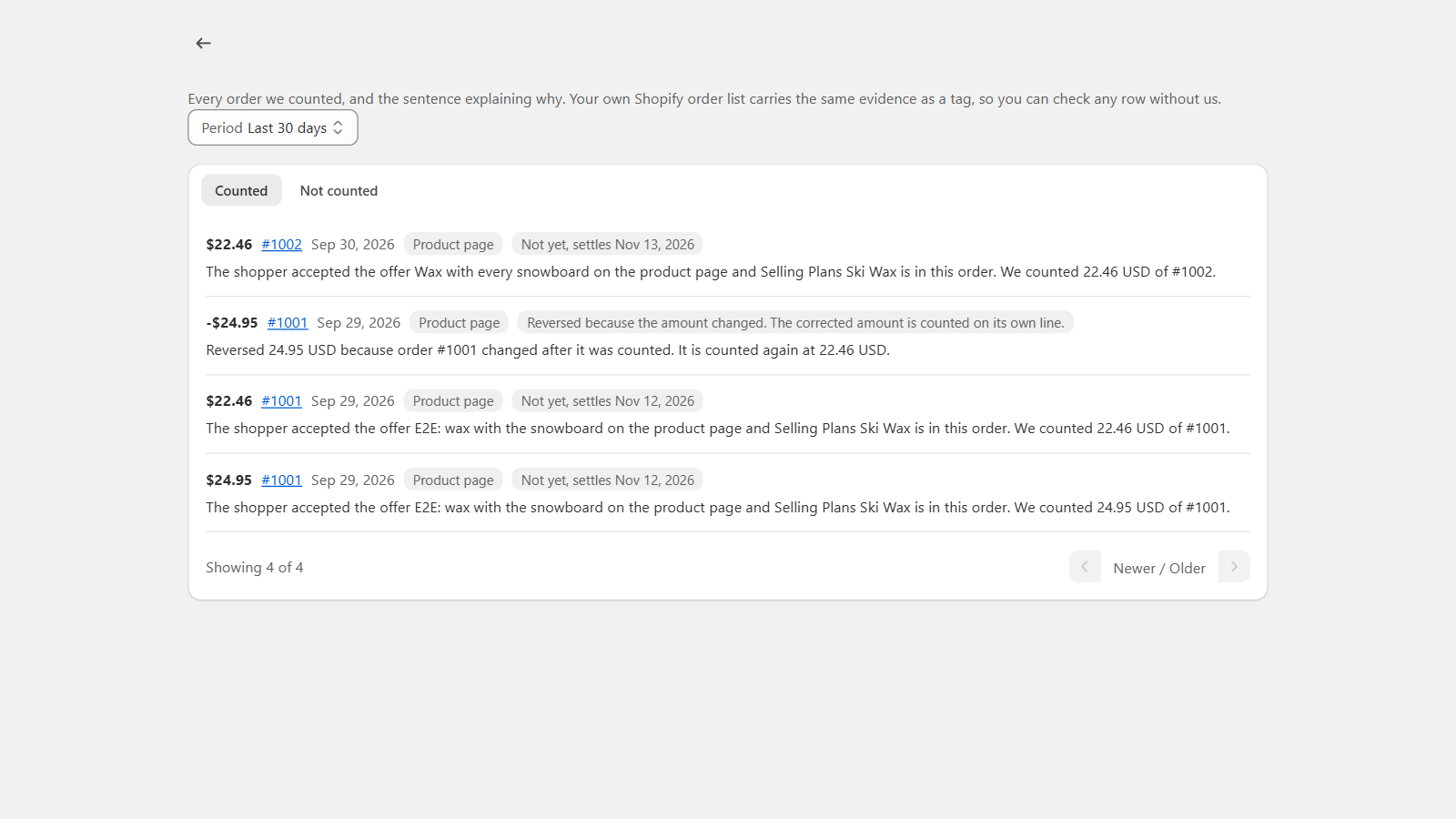
This is a real development-store billing view. It shows order explanations and corrections, not a demonstration of this offer type or a merchant performance result.